Sunday, December 2, 2012

Spring and Thymeleaf with JavaConfig (Part 1)

In this tutorial, we will create a CRUD application based on Spring MVC 3.x and Spring Data JPA. We will utilize JavaConfig instead of XML to configure our application. For the view layer, we will use Thymeleaf as our template engine instead of JSP to process our html pages.

Table of Contents

Click on a link to jump to that section:
  1. Functional Specs
  2. Creating the View
    • HTML Mockup
    • Thymeleaf Integration
  3. JavaConfig
    • ApplicationContext.java
    • SpringDataConfig.java
    • ThymeleafConfig.java
    • ApplicationInitializer.java
  4. Layers
    • Domain
    • Service
    • Controller
  5. Running the application
    • Clone from GitHub
    • Create the Database
    • Run with Maven and Tomcat 7
    • Run with Maven and Jetty 8
    • Import to Eclipse
    • Validate with W3C

Dependencies

These are the main Maven dependencies:
  • Spring 3.2.0.RC1
  • Spring Data JPA 1.2.0.RELEASE
  • Thymeleaf 2.0.14
  • Hibernate 3.6.3.Final
  • See pom.xml for full details

Required Tools

These are the minimum required tools:
  • Git
  • Maven 3.0.4
  • MySQL
  • Eclipse IDE or SpringSource Tool Suite (STS)

GitHub Repository

There are two versions of the application: a JavaConfig-based and an XML config-based app. Both versions are identical in their feature set.

Functional Specs


Our application's requirements are quite straightforward:
  • Create a simple form to manage user information
  • Provide the following fields: first name, last name, username, role
  • Username must be unique
  • Provide CRUD operations
  • Provide table to view all users

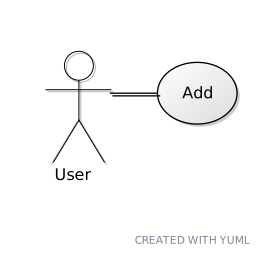
Here's our Use Case diagram:


[User]-(Add)
[User]-(View)
[User]-(Update)
[User]-(Delete)

//http://yuml.me/

Here's a screenshot of our working application:


Next

In the next section, we will focus on the view layer. We'll start writing the HTML mockup template; then we'll integrate it with Thymeleaf. Click here to proceed.
StumpleUpon DiggIt! Del.icio.us Blinklist Yahoo Furl Technorati Simpy Spurl Reddit Google I'm reading: Spring and Thymeleaf with JavaConfig (Part 1) ~ Twitter FaceBook

Subscribe by reader Subscribe by email Share

Spring and Thymeleaf with JavaConfig (Part 2)

Review


In the previous section, we have read the functional specs of the application. In this section, we will focus on the view layer, create an HTML mockup, and integrate our mockup with Thymeleaf.

Table of Contents

Click on a link to jump to that section:
  1. Functional Specs
  2. Creating the View
    • HTML Mockup
    • Thymeleaf Integration
  3. JavaConfig
    • ApplicationContext.java
    • SpringDataConfig.java
    • ThymeleafConfig.java
    • ApplicationInitializer.java
  4. Layers
    • Domain
    • Service
    • Controller
  5. Running the application
    • Clone from GitHub
    • Create the Database
    • Run with Maven and Tomcat 7
    • Run with Maven and Jetty 8
    • Import to Eclipse
    • Validate with W3C

Creating the View


In designing our application we'll start with the view layer because we can. Thanks to Thymeleaf creating HTML mockups is easy. Thymeleaf allows us to use these mockups as our HTML templates without any aesthetic changes. In addition, it passes W3C Markup Validation Service with flying colors.

What is Thymeleaf?

Thymeleaf is a Java library. It is an XML / XHTML / HTML5 template engine (extensible to other formats) that can work both in web and non-web environments. It is better suited for serving XHTML/HTML5 at the view layer of web applications, but it can process any XML file even in offline environments.

It provides an optional module for integration with Spring MVC, so that you can use it as a complete substitute of JSP in your applications made with this technology, even with HTML5.

The main goal of Thymeleaf is to provide an elegant and well-formed way of creating templates. Its Standard and SpringStandard dialects allow you to create powerful natural templates, that can be correctly displayed by browsers and therefore work also as static prototypes. You can also extend Thymeleaf by developing your own dialects.

Source: Thymeleaf.org

HTML Mockup


Let's create our HTML mockup. You can see the final mockup below:


First, we create a new HTML page. Note that this is a very simple HTML document that validates with W3C Markup Validation Service.


Next, we create an external CSS file. Because I'm not really a designer, I have scoured the web for a simple but elegant table style. I found one from Top 10 CSS Table Designs.


Then, open a browser and test the HTML mockup. You should see something similar to the following image:


Thymeleaf Integration


It's time to integrate Thymeleaf with our HTML mockup template. To integrate Thymeleaf we'll use its attribute-based template engine. Browsers will normally ignore unknown HTML attributes, so it won't affect our mockups.

Before we proceed, let me provide you a short description of the specific Thymeleaf attributes we'll be using:

The important attributes
  • The # means to resolve the attribute from the messages bundle
  • The $ means to resolve the attribute from the model
  • The # and $ can be combined together so that messages can be dynamically generated from the model and internationalized from the messages bundle
  • th:fragment="header"

    This allows us to include template fragments from other templates. For example, we can reuse them in footers, headers, and menus. For this tutorial, we won't be reusing the header, but I've added it anyway for future tutorials.
  • th:each="u : ${users}

    This allows us to loop a list of records. This is equivalent to Java's for-loop construct.
  • th:text="${u.id}"

    This allows to dynamically set the label of an element.
  • th:href="@{/users/delete(id=${u.id})}">

    This allows us to define a dynamic URL.
  • th:field="*{id}"

    This allows us to define the field where an input's field will be attached to.
  • th:remove="all"

    This allows us to setup mockup data. Thymeleaf will automatically remove any element contained within this attribute.

Let's now apply these attributes. Here's our updated HTML mockup template:

users.html

Internationalization


The th:text attribute allows us to externalize text and with the support of Spring's MessageSource, we are able to parameterize and provide internationalization support.

What is MessageSource?

Strategy interface for resolving messages, with support for the parameterization and internationalization of such messages.

Spring provides two out-of-the-box implementations for production:
  • ResourceBundleMessageSource, built on top of the standard ResourceBundle
  • ReloadableResourceBundleMessageSource, being able to reload message definitions without restarting the VM

Source: Spring 3 Docs: MessageSource

Notice the th:text attributes. Some of them refer to a dot notation object. Where does Thymeleaf retrieve this information?

The information is retrieved from the messages_en.properties resource bundle:


We've declared that in the ApplicationContext.java configuration (see next section):


The Data transfer object (DTO)


In order for our html page to display data from the Controller, we need to pass a Model attribute. The model attribute is represented by the UserDto.


The fields we declared on the users.html form is based from the fields of the UserDto:


Notice the form has a form-backing object declared named commanduser. Using Thymeleaf's attribute th:object, we're able to declare this form-backing object.

This object passed from the UserController.


Next

In the next section, we will focus on the configuration layer. We'll study how to declare a JavaConfig-based configuration. We'll also provide an XML-based configuration for comparison purposes. Click here to proceed.
StumpleUpon DiggIt! Del.icio.us Blinklist Yahoo Furl Technorati Simpy Spurl Reddit Google I'm reading: Spring and Thymeleaf with JavaConfig (Part 2) ~ Twitter FaceBook

Subscribe by reader Subscribe by email Share

Spring and Thymeleaf with JavaConfig (Part 3)

Review


In the previous section, we focused on the view layer and created an HTML mockup template. In this section, we will focus on configuration and declare them using JavaConfig. We will also provide an XML-based config.

Table of Contents

Click on a link to jump to that section:
  1. Functional Specs
  2. Creating the View
    • HTML Mockup
    • Thymeleaf Integration
  3. JavaConfig
    • ApplicationContext.java
    • SpringDataConfig.java
    • ThymeleafConfig.java
    • ApplicationInitializer.java
  4. Layers
    • Domain
    • Service
    • Controller
  5. Running the application
    • Clone from GitHub
    • Create the Database
    • Run with Maven and Tomcat 7
    • Run with Maven and Jetty 8
    • Import to Eclipse
    • Validate with W3C

JavaConfig


As stated in the introduction, we will be using JavaConfig-based configuration instead of the usual XML config. However, I don't want to alienate our readers who are used to XML. As a result, I've decided to provide both implementations. However, our focus here is still on JavaConfig.

Note: With JavaConfig, we can now omit the ubiquitous web.xml. But in order to that, we need to run a Servlet 3.0 web container. For this tutorial, I have tested the application with Tomcat 7.0.30 (Maven plugin), 7.0.33 (standalone Tomcat), and Jetty 8.1.5.v20120716 (Maven plugin).

ApplicationContext.java


The ApplicationContext.java contains our main configuration. It's responsible for loading other configurations, either as JavaConfig or XML config.


Let's describe each annotation:
  • @Configuration
    - Marks a class as a JavaConfig
  • @ComponentScan(basePackages = {"org.krams"})
    - Configures scanning of Spring components

    This is equivalent in XML as:

  • @EnableWebMvc

    - Activates Spring's MVC support

    This is equivalent in XML as:

  • @Import({SpringDataConfig.class, ThymeleafConfig.class})
    - This allows us to import JavaConfig-based config. Notice we are importing two external configuration classes: SpringDataConfig and ThymeleafConfig
  • @ImportResource("classpath:trace-context.xml")
    - This allows us to import XML-based config files. (As a side note why can't we just declare this as a JavaConfig? It turns out there's no direct translation for the trace-context.xml, so we'll have to import it as XML).

    This is equivalent in XML as:

  • @PropertySource("classpath:spring.properties")
    - This allows us to import property files
  • @Bean
    - Declares a Spring bean

Here's the equivalent XML configuration:


SpringDataConfig.java


The SpringDataConfig.java contains our Spring Data configuration. This is where we declare our data source, transaction manager, and JPA entity manager.


Here's the equivalent XML configuration:


ThymeleafConfig.java


The ThymeleafConfig.java contains our Thymeleaf configuration. This is where we declare our Thymeleaf view resolver.


Here's the equivalent XML configuration:


ApplicationInitializer.java


The ApplicationInitializer.java is the equivalent of web.xml. Here's where we declare the DispatcherServlet.


Here's the equivalent XML configuration:


Next

In the next section, we will focus on the remaining layers of our Java application. We'll study the Domain, Repository, Service, and Controller layers. Click here to proceed.
StumpleUpon DiggIt! Del.icio.us Blinklist Yahoo Furl Technorati Simpy Spurl Reddit Google I'm reading: Spring and Thymeleaf with JavaConfig (Part 3) ~ Twitter FaceBook

Subscribe by reader Subscribe by email Share